The default Fixed Asset Reports are located in the Fixed Asset Reports folder on the Reports tab. This section describes the reports that are provided by default. You can create your own reports or modify the default reports. See Editing a Default Report or Dashboard.
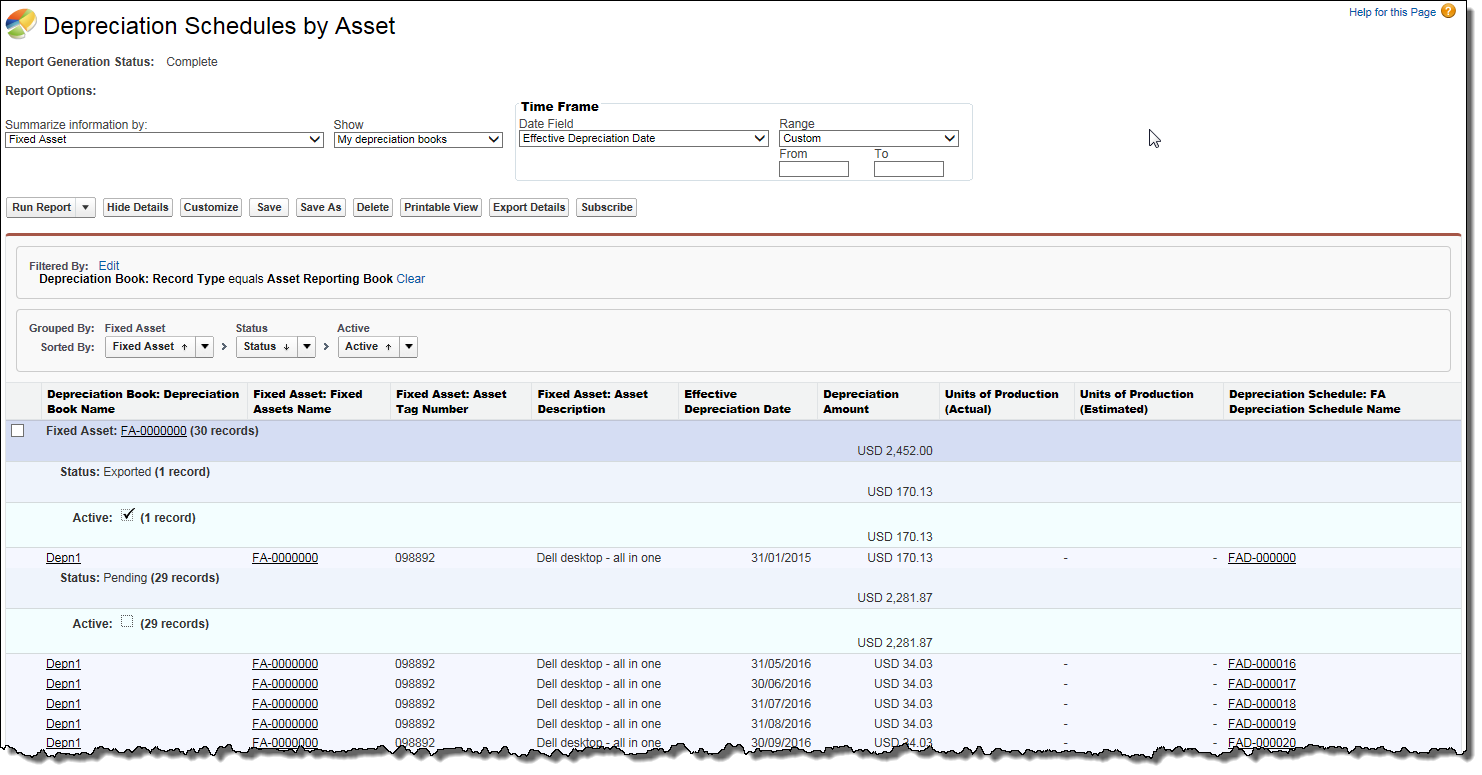
The Fixed Assets Depreciation Schedules report lists each asset and its depreciation schedules grouped by the status and active fields.
Click the image to expand it.
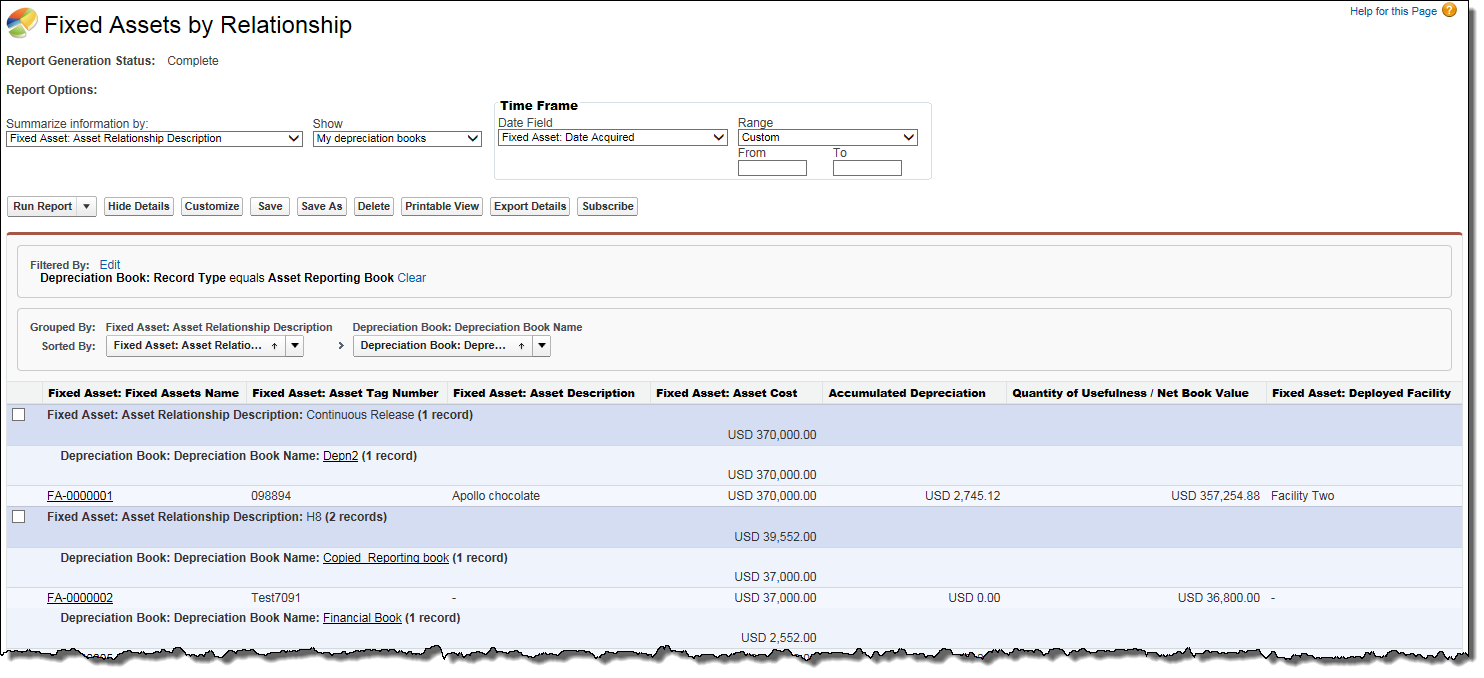
The Fixed Assets by Relationship report lists the reporting depreciation books with the fixed assets to which they belong with Accumulated Depreciation, Quantity of Usefulness. The depreciation books are grouped by Asset Relationship Description.
Click the image to expand it.
The Fixed Assets Disposal report lists assets that have been disposed of and each asset is grouped by its method of disposal.
Click the image to expand it.
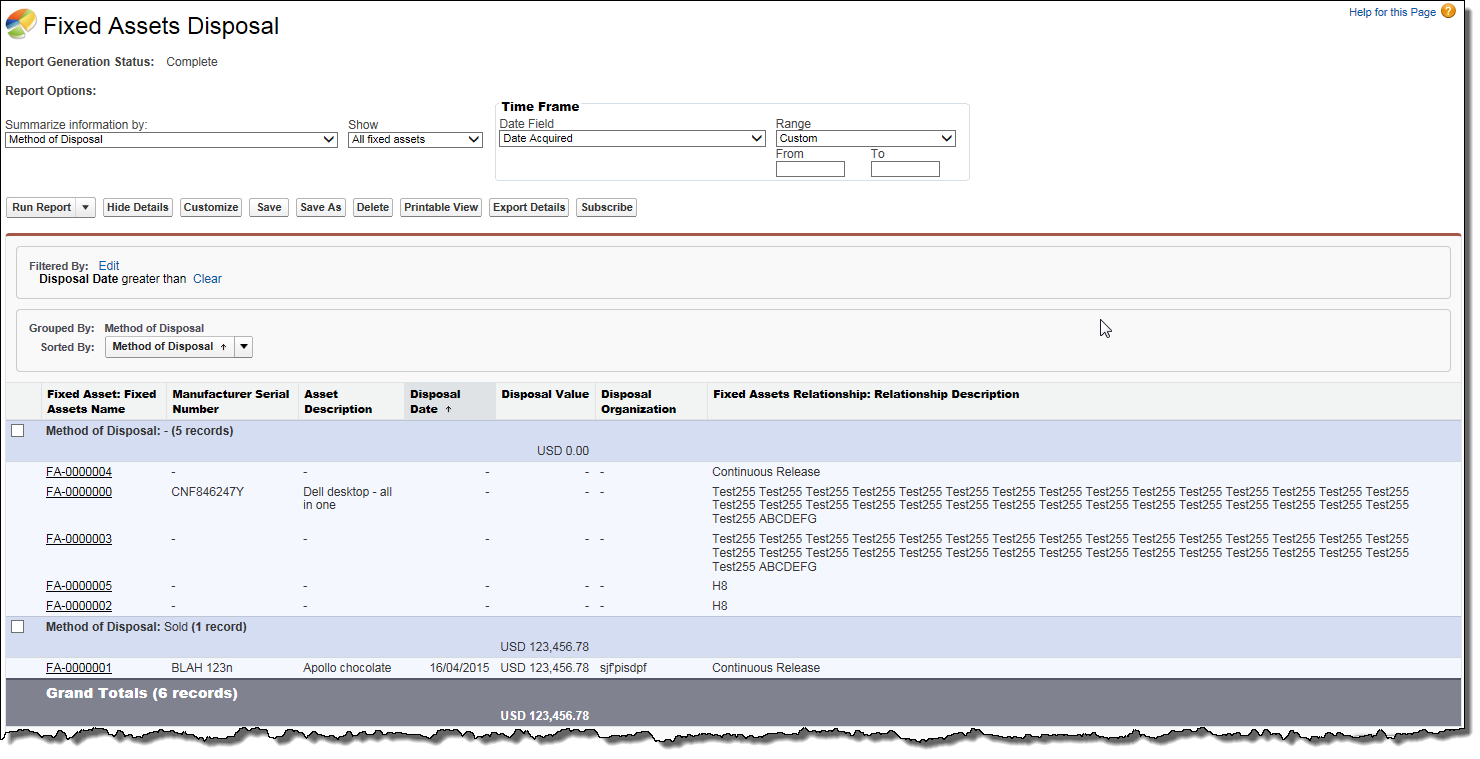
To filter the assets based on the Disposal Date:
Related Concepts
Related Tasks