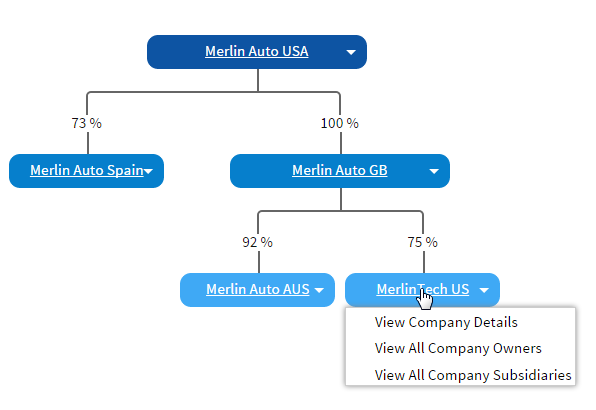
To display a graphical view of the company ownership structure, click the Group Structure tab.
The Group Structure image shows how each company within your organization (Salesforce org) is related to each other, including an indication of percentage ownership.
Click on a company in the structure to view a menu giving you access to the following additional information:
You cannot change the relationships or percentage values directly on this page. To do this, edit the related company ownership records.
If there are ungrouped companies in your organization, these are shown in their own section at the end of the page.