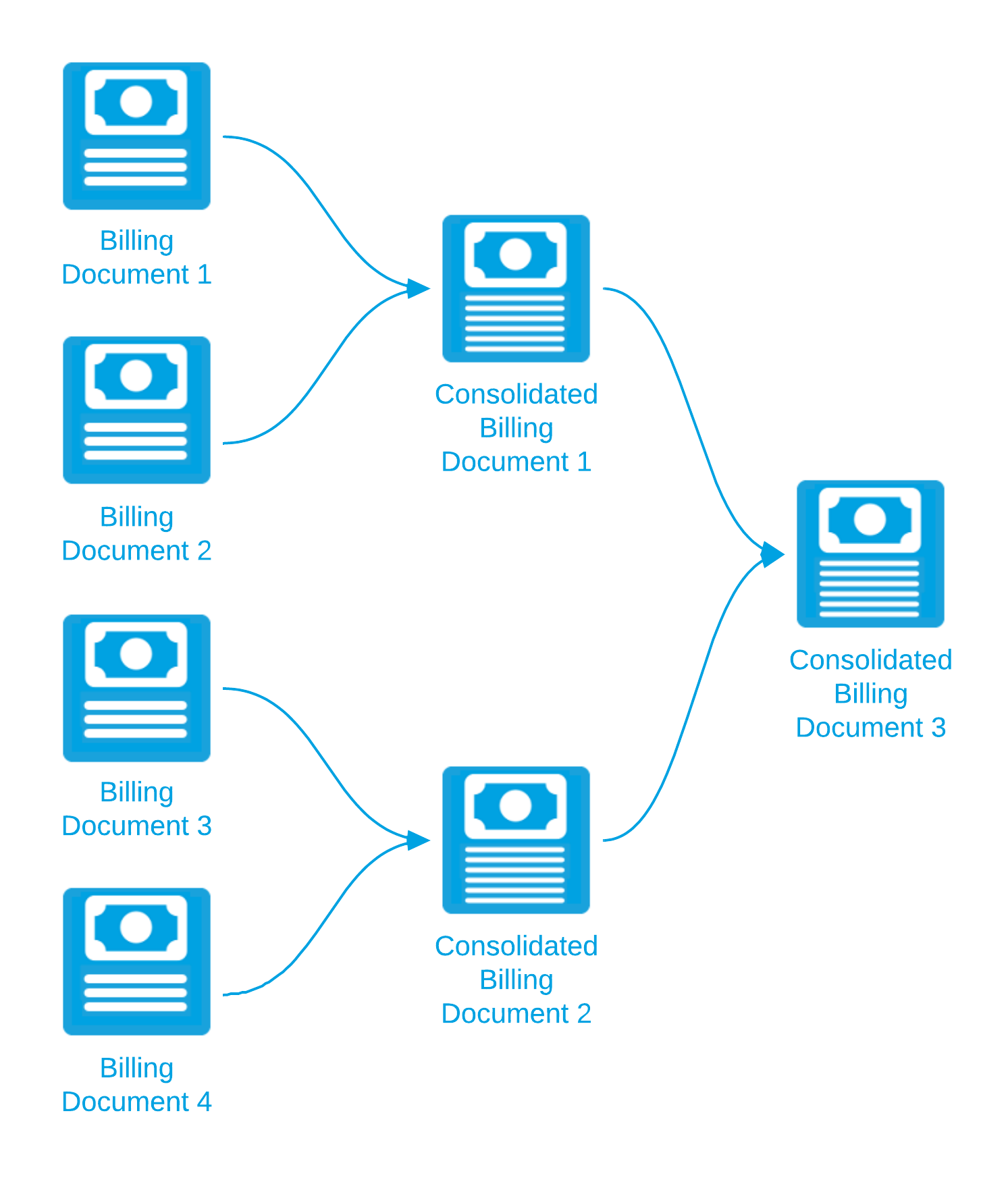
Draft consolidated billing documents can themselves be consolidated. For example:
When you consolidate Consolidated Billing Documents 1 and 2, their billing document line items are moved to Consolidated Billing Document 3. The status of Consolidated Billing Documents 1 and 2 changes to “Superseded” and they are no longer linked to the original billing documents. The Consolidated Billing Document field of Billing Documents 1, 2, 3, and 4 now points to Consolidated Billing Document 3.
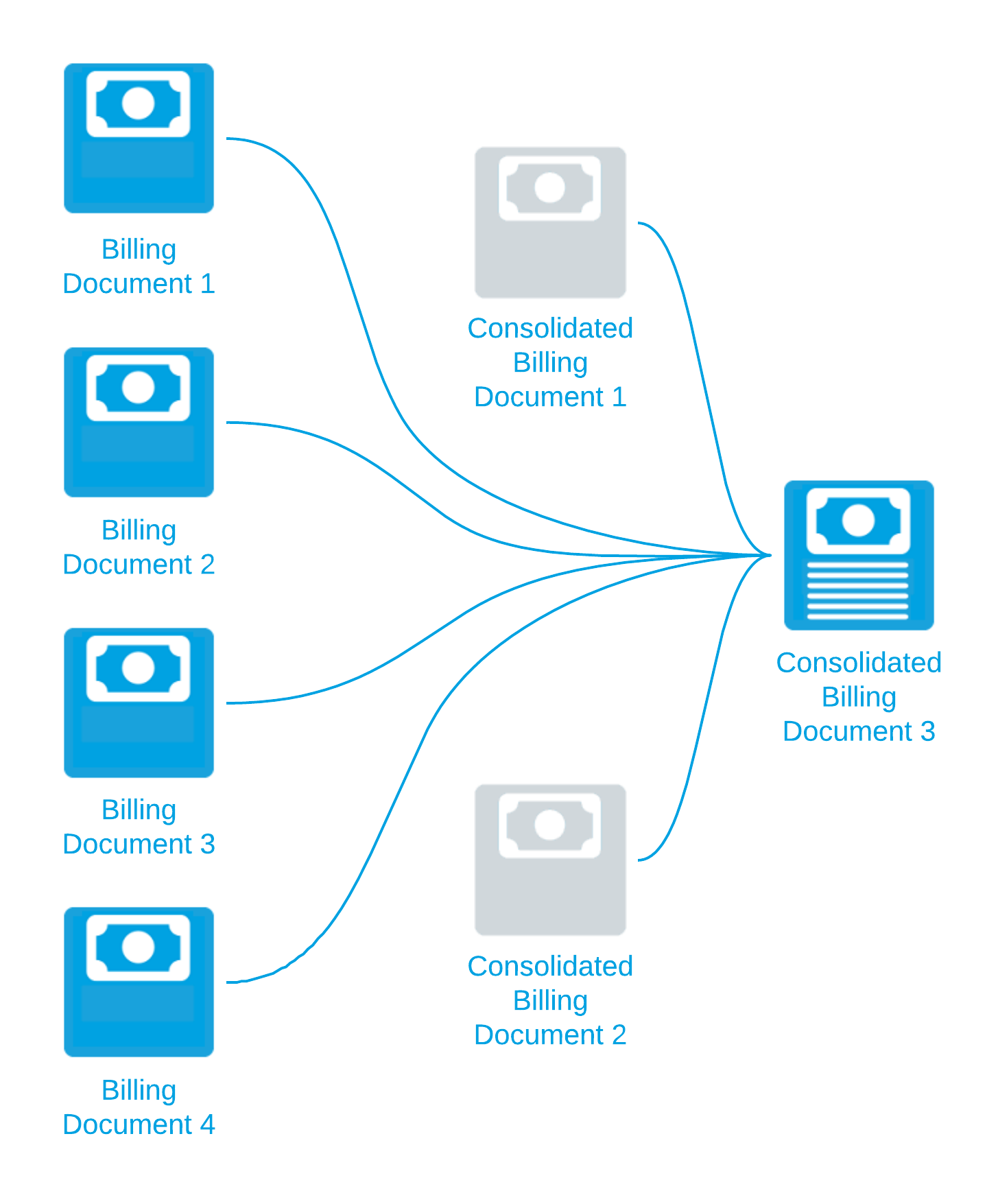
When you undo the consolidation of a billing document that was created from other consolidated billing documents, the billing document line items are moved back to their original billing document.
In the example above, if you undo the consolidation of Consolidated Billing Document 3, the billing document line items on that document are moved back to Billing Documents 1, 2, 3, and 4 and the status of these documents changes to “Draft”. Consolidated Billing Documents 1, 2, and 3 are deleted.
Related Concepts
Consolidating Billing Documents
Related Tasks
Consolidating Billing Documents Using Consolidation Rules
Consolidating Manually Selected Billing Documents
Adding to an Existing Billing Document
Creating a Consolidation Grouping Method
Creating a Billing Document Filter for Consolidation
Creating a Consolidation Rule, Record Filter, and Grouping Method
Monitoring the Progress of a Background Process
Reference