 SECTIONS
Customer Success Management Workspace
The Customer Success Management Workspace acts as a starting point for the activities that you conduct in your customer success manager role.
The Customer Success Management Workspace contains the following components:
- Global Navigation
- CSC Workspace Actions
- KPI Cards
- Account Grid
- Success Tracker
- My Active Playbooks list View
- Playbook Task Manager
- Activity Tracker
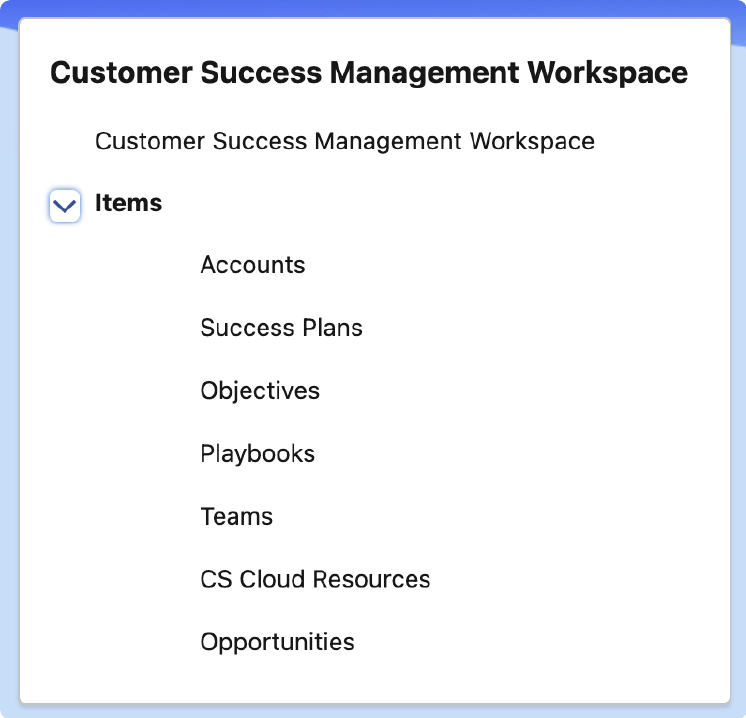
Global Navigation
The Customer Success Management Workspace links enable you to open the pages that are relevant to your role.
CSC Workspace Actions
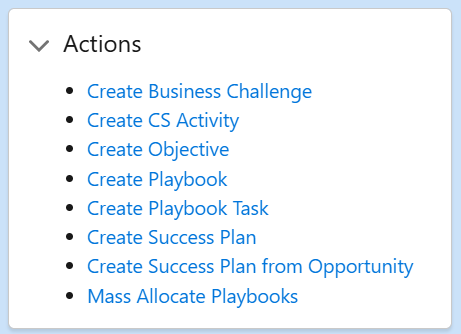
The CSC Workspace Actions component enables you to create:
- Business challenges
- CS activities
- Objectives
- Playbook tasks
- Playbooks
- Success plans
- Success plans from opportunities
- Mass Allocate Playbooks
KPI Cards
KPI cards provide you with information to highlight important details about your playbooks, objectives, success plans and tasks. To display a list of detailed records specific to each card, click the blue title link.
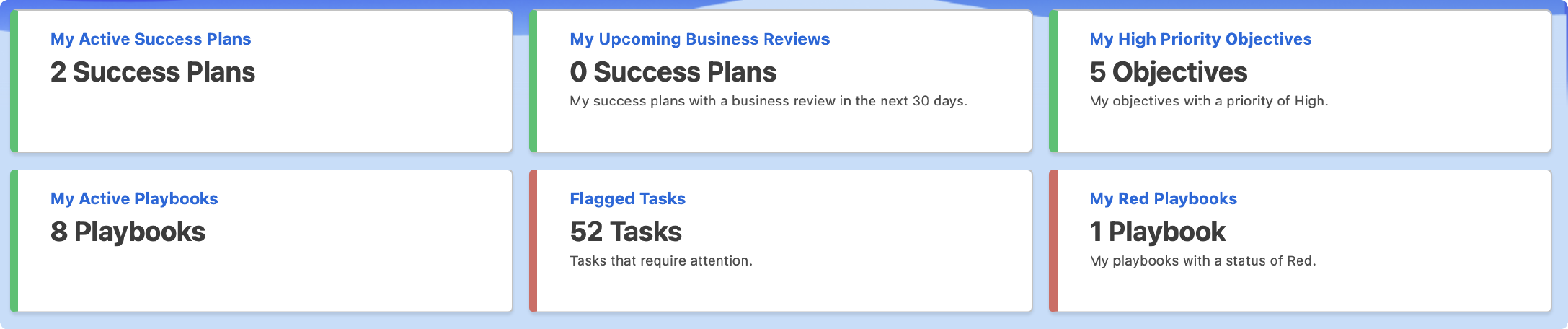
The following KPI cards are available from the Customer Success Management Workspace:
| Name | Description | View Details |
|---|---|---|
| My Active Success Plans | The count of success plans with a status of Active, that you are the success plan owner of. |
Displays a list view of active success plans that you are the success plan owner of. The following fields are displayed:
|
| My Upcoming Business Reviews | The count of success plans that have a business review occurring in the next 30 days, that you are the success plan owner of. |
Displays a list view of success plans with business reviews occurring in the next 30 days that you are the success plan owner of. The following fields are displayed:
|
| My High Priority Objectives | The count of objectives that have a Priority of High, that you are the objective owner of. |
Displays a list view of high priority objectives that you are the objective owner of. The following fields are displayed:
|
| My Active Playbooks | The count of playbooks, not including playbook templates, with a start date of today or before, and an end date of today or after, that you are the playbook owner of. |
Displays a list view of active playbooks that you are the playbook owner of. The following fields are displayed:
|
| Flagged Tasks | The count of tasks that have been marked as Flagged. |
Displays a list view of flagged tasks. The following fields are displayed:
|
| My Red Playbooks | The count of playbooks with a status of Red, that you are the playbook owner of. |
Displays a list view of playbooks with a status of Red that you are the playbook owner of. The following fields are displayed:
|
Account Grid
Account Grid enables you to view all of the accounts you are assigned the CSM of.
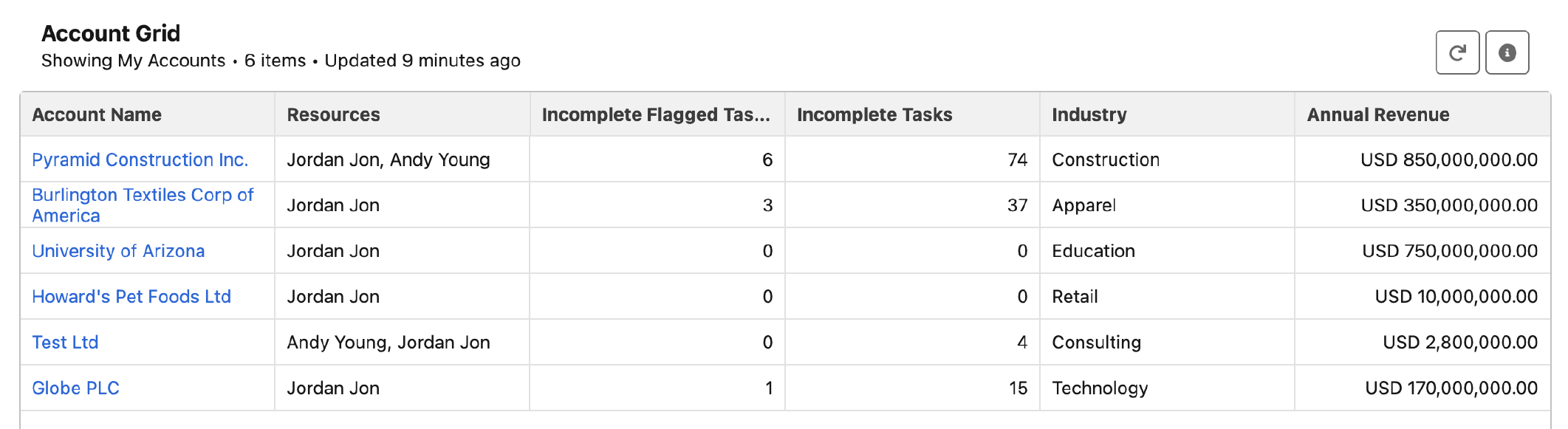
For more information about Account Grid, see Account Grid Overview.
Success Tracker
Success Tracker enables you to view information about a success plan's associated objectives, playbooks, and playbook tasks in a scheduler view. It also enables you to create objectives, playbooks, playbook tasks, and success plans.
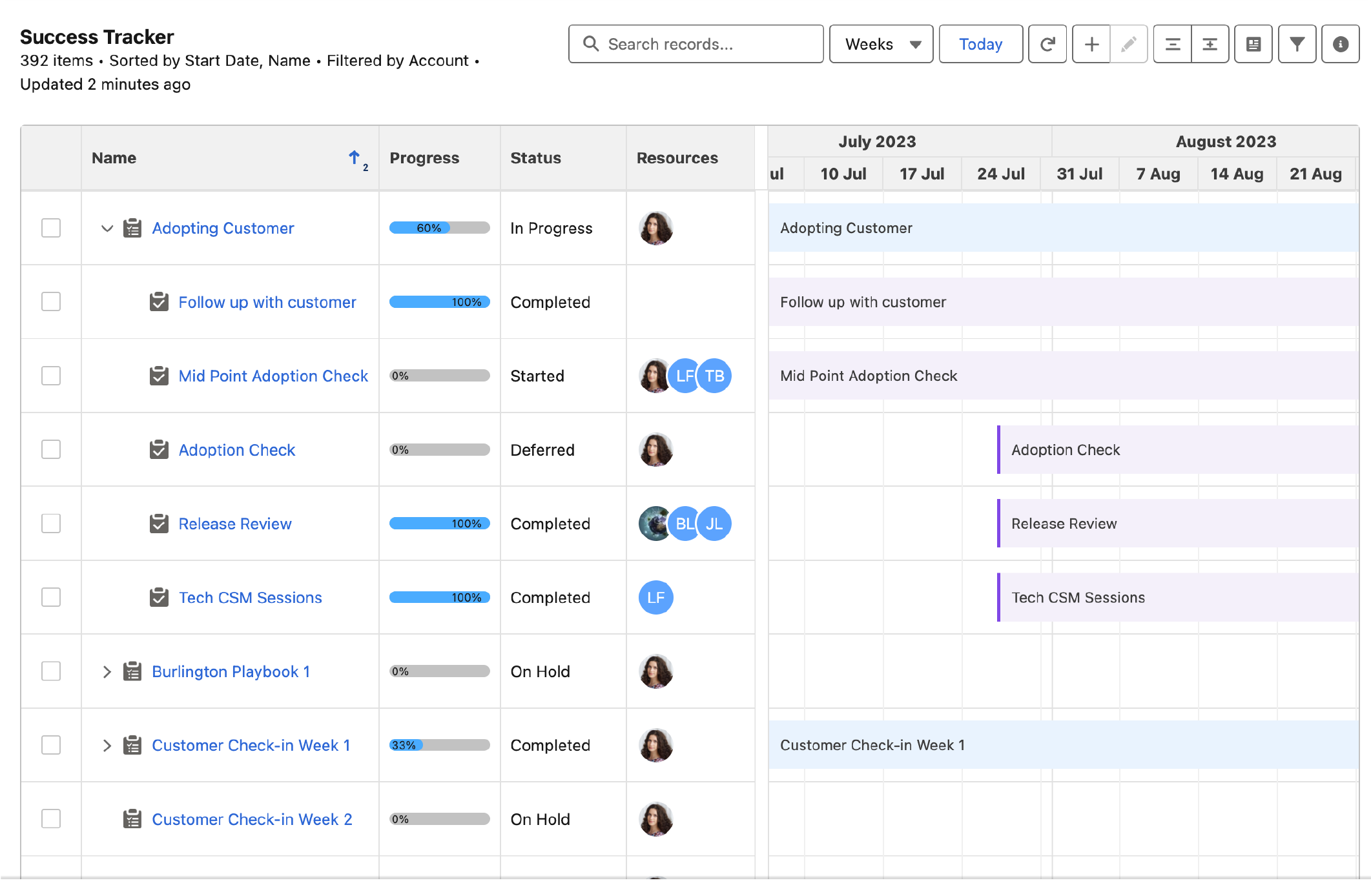
For more information about Success Tracker, see Success Tracker Overview.
Playbook Task Manager
Playbook Task Manager enables you to view, edit and add playbook tasks in a list, task board, or calendar view.
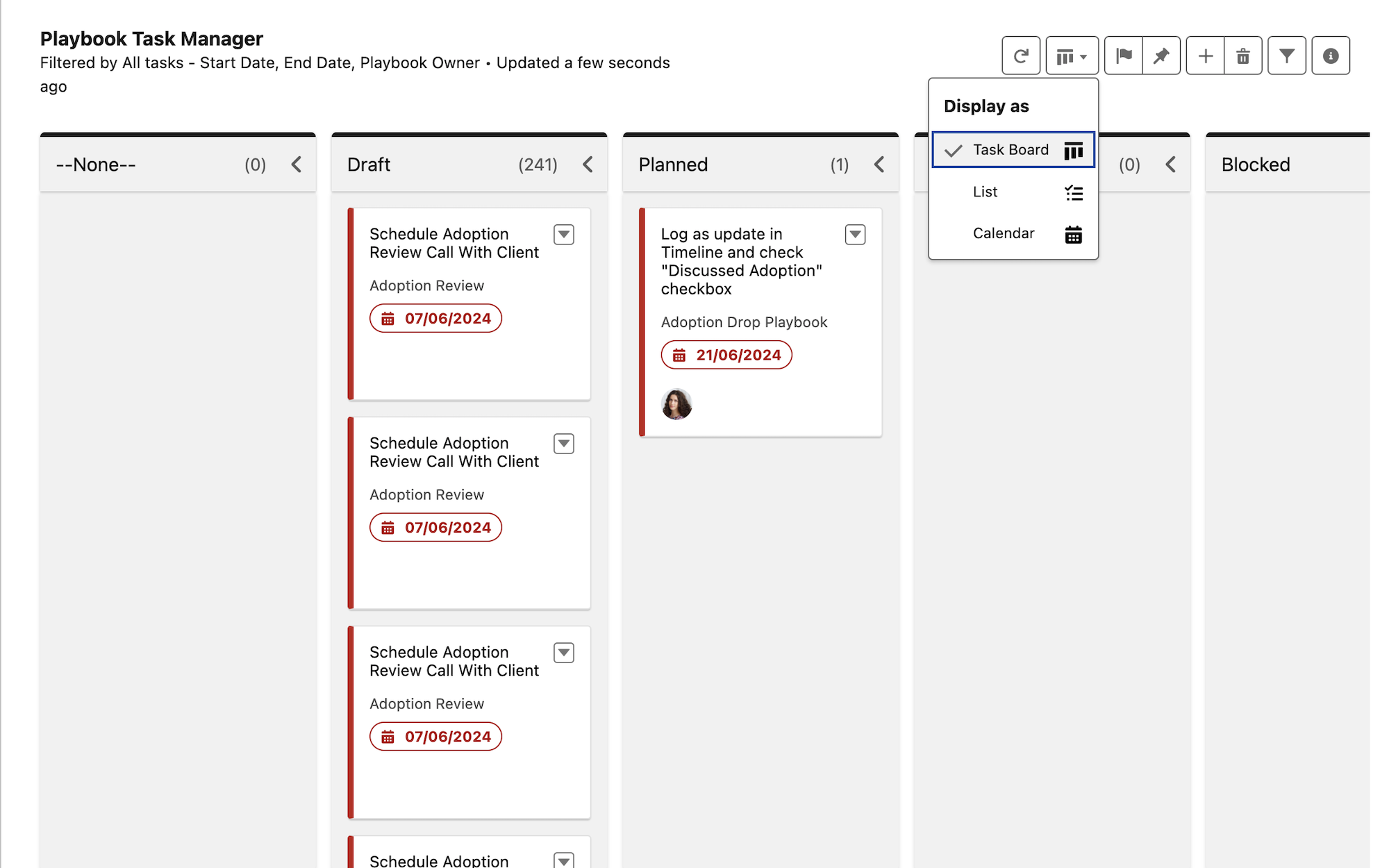
For more information about Playbook Task Manager, see Playbook Task Manager Overview.
Activity Tracker
Activity Tracker enables you to view:
- Upcoming activities that are due to take place in the next seven days
-
Recent activities that were due to take place in the last seven days
-
Objectives, playbooks, and playbook tasks with a start date or end date in the next seven days
-
Objective KPIs with a target date in the next seven days
-
Success plans with an effective date or next business review date in the next seven days
- Your org's CS activities from the last five years
Activity Tracker also enables you to:
- Create, edit, and delete CS activities
- Create and delete playbook tasks
- Delete objectives, objective KPIs, playbooks, and success plans
- Delete activities from any additional tracked objects added by the administrator
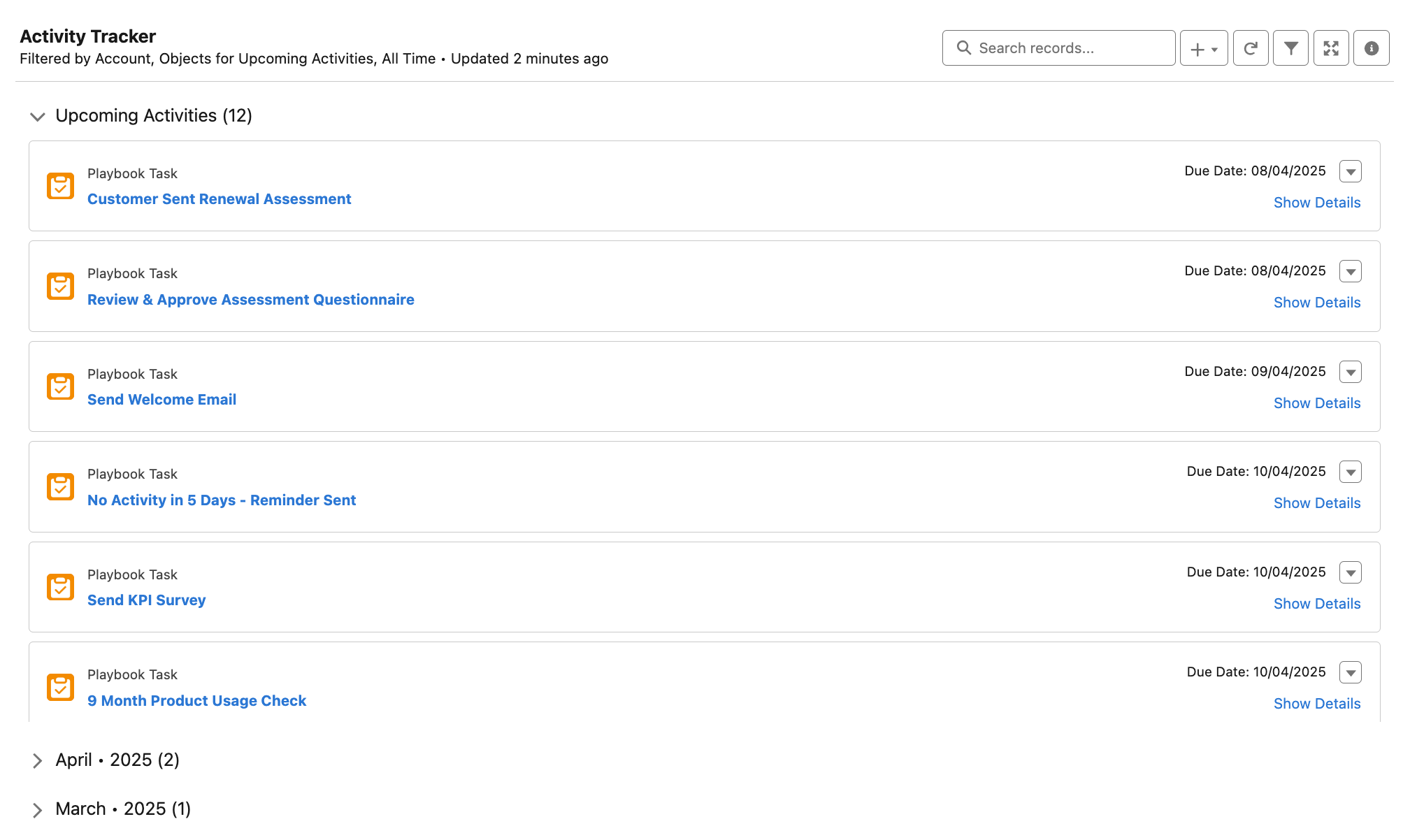
For more information about Activity Tracker, see Activity Tracker Overview.