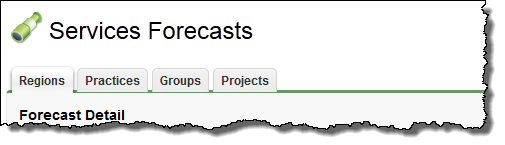
Clicking the Forecasts tab displays the Services Forecasts page, divided into Regions, Practices, Groups, and Projects categories.
Click a category name to view forecasts entered for that category. For example, if you are the owner of a regionA level of hierarchy used in PSA to which other objects belong such as resources, opportunities and projects., click Regions to view forecasts entered for your region and immediate sub-regions.
What you can see and do on the Services Forecasts page depends on permission controlsDetermines whether a single user has permission to carry out specific tasks in FinancialForce PSA. and configuration options assigned and set by your administrator—see "Forecasts Settings" and "Services Forecasting Permissions Overview" for more information.
To get started, read "Services Forecasting Overview" or, if you know what you want to do, go straight to the relevant topic.
Related Tasks
Setting up Services Forecasting
Viewing the Services Forecasts Worksheets
Changing the Forecast Time Period
Entering a Forecast for a Region, Practice, or Group
Entering a Forecast for a Project
Overriding a Services Forecast
Reference Materials
© 2009-2015FinancialForce.com, inc All rights reserved. FinancialForce and FinancialForce.com are registered trademarks, and the FinancialForce.com logo is a trademark. Other product names appearing herein may be trademarks.
This document contains proprietary information of FinancialForce.com, inc and its licensors, and is subject to change without notice.