Creating a Change Request

To create a change request:

  1. Click Create Change Request on the project to which the request relates.
  2. Complete the fields on the Create Change Request page. For information about Opportunity fields, see "Custom Opportunity Fields" and the Salesforce help.
  3. Click Create.

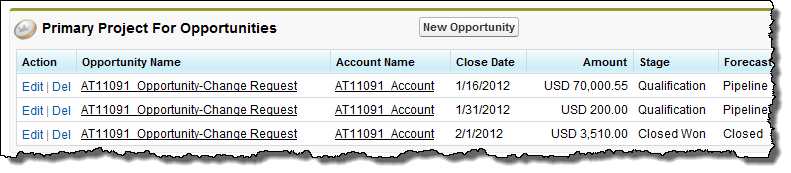
You can raise a change request from your project. This creates a change request opportunity. For instance, you can use this when you need to request additional budget for a project, or if a change is to be made to a project that is outside the scope of the work that was originally agreed. You can then create a new project from the change request opportunity. When you do this, you can view the related projects in the Primary Project For Opportunities related list on the original project record.

Related Information

Projects

Milestones

About the Project Planner

Project Hierarchies

Reference Materials

Create Project from Template Fields

Milestone Fields

Project Fields

© Copyright 2009-2012 FinancialForce.com, inc. All rights reserved.
Various trademarks held by their respective owners.