The Project Version Details page shows individual project detail displays in adjustable columns.
To view more information on project details (such as budgets or milestones), click View Details in the appropriate project detail card. Changes reflected from version comparisons appear in the right in each column in blue text.
From the Project Version Details page, you can:
To move a column, click and drag the column that you want to move in the display.
To filter entries, enter the text you want to search for in the Search... box. The screen automatically filters the display after you enter the first three characters of your search term.
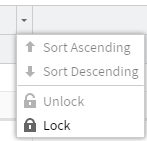
To lock columns in-place to prevent dragging and keep the column visible at all times while scrolling, or to unlock and allow dragging:
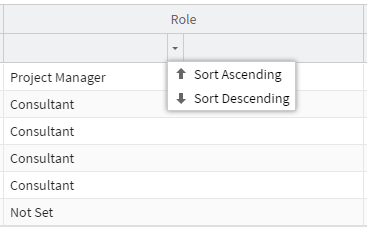
To sort column entries in ascending or descending order:
Related Concepts
Project Versioning and Baselines
Related Tasks
Creating Project Versions and Baselines
Comparing Project Versions and Baselines
Customizing Data to Include in Versions and Baselines
Deleting Project Versions and Baselines
Managing Version Capture Configuration
Customizing the Project Versioning Quick Help Static Resource
Setting up Project Versioning and Baselines
Viewing Project Version Batch Jobs
Reference
About Project Version Permission Controls
Project Version Detail Indicators
Project Versioning Global Settings
Version Batch Control Log Fields
Version Item Assignment Fields
Version Item Estimates Vs Actuals
Version Item Project Detail Fields