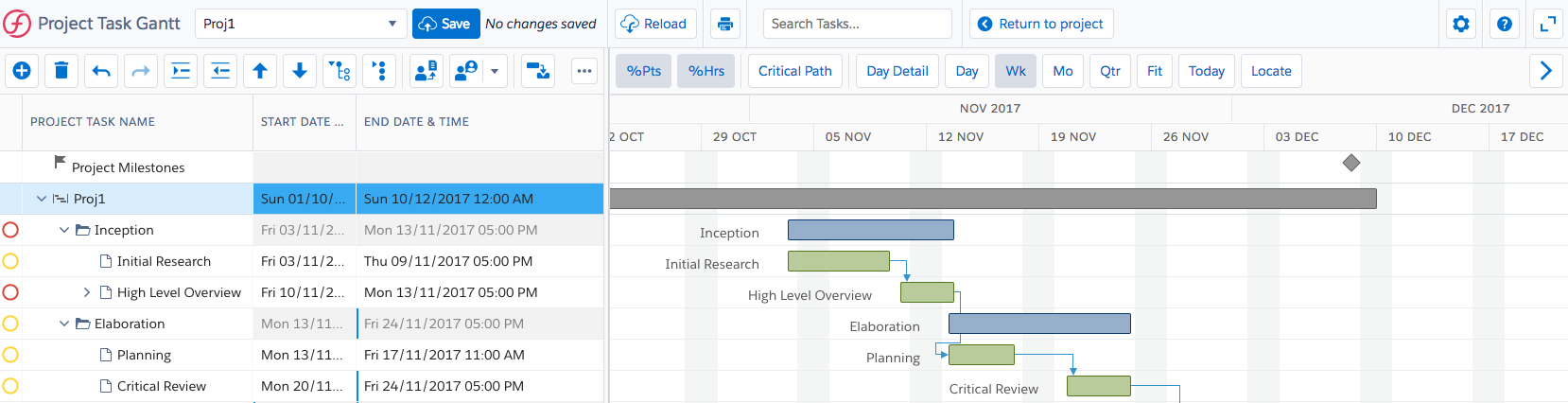
If you are the project manager of a project, or have been assigned the Project Task Gantt Edit permission control, you can edit the tasks in your project using Project Task Gantt. Your administrator can restrict project manager access, as required by your organization. For more information, see the Project Manager Access setting in
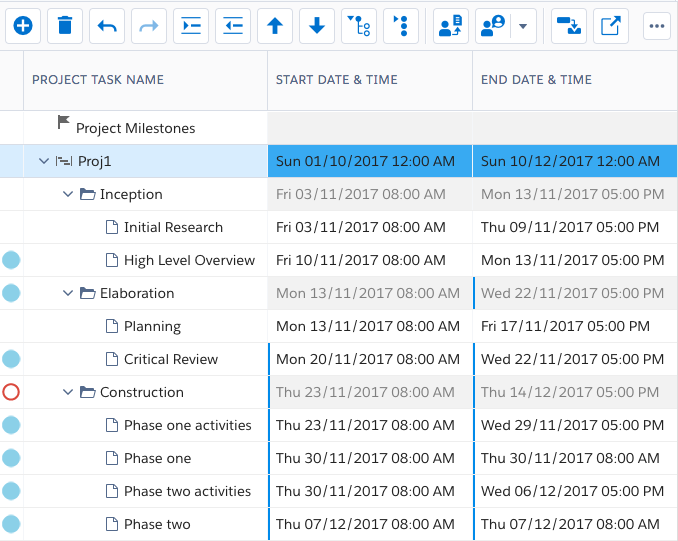
Project Task Gantt comprises two panes:
Here is an example of Project Task Gantt:
Here is an example of the Tasks pane:
Here is an example of the Schedule pane:
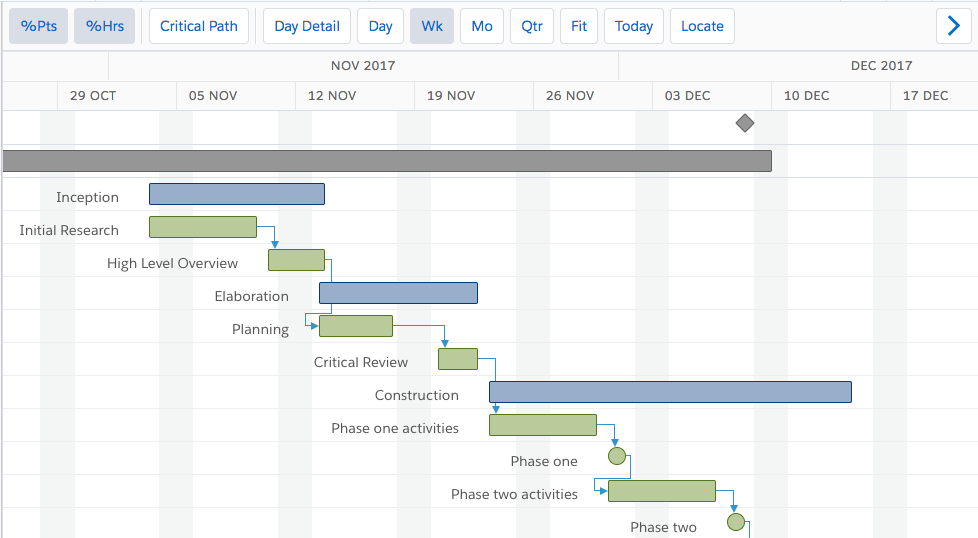
Your administrator can define custom field sets to display tooltips for Milestones, Projects, Project Task Assignments, and Tasks in the Schedule pane of Project Task Gantt. For more information, see Project Task Gantt Settings and Preferences.
Related Concepts
Project Task Gantt (Task Manager)
About Task Dependency Relationships and Lag
Related Tasks
Adding a Task Dependency Relationship
Deleting a Task Dependency Relationship
Editing a Task Dependency Relationship
Assigning Resources or Roles to a Project Task
Creating Resource Demands from Project Task Gantt
Associating Project Tasks with Milestones
Configuring Alerts and Restricted Editing of Project Task Constraints
Using Task Notes in Project Task Gantt
Reference