 or
or  depending on whether you want to expand or collapse it.
On the enhanced Plan Detail page you can view a Plan Details panel showing summary information about the plan, and a Product panel (with a collapsible Totals banner) where you can add, edit and delete products on the plan. When you make changes to the plan, the totals update to reflect the changes.
If you want to expand or collapse the Plan Details panel, click or depending on whether you want to expand or collapse it.
Custom buttons are supported in the button bar. You might need to click the  icon to access buttons that cannot fit in the current window size.
Custom buttons to invoke Visualforce pages must be implemented using the workaround described in
If your products belong to active Salesforce Price Books, you can apply a price book to plan line items when you create them. For information about price books, see the "Prices and Price Books" topics in the Salesforce Help.
To switch to the Salesforce version of a detail page:
 .
.If you've made changes to the layout of the page and want to restore the default layout:
.To change the layout of the plan lines on the Plan Detail page you can:
To filter the lines by a particular value in a column:
 icon.
icon. is displayed alongside selected values.
A is displayed next to Filters when the column has active filters.
To clear all filters for a column, click Filters. The is removed from the column. To clear an individual filter, click the relevant value. The is removed from the selected value.
The typeface of column headings to which you've applied filters changes to bold italic to indicate that a filter is applied to that column.
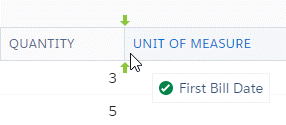
To move a column:
To the sort the plans by column, do one of the following:
 indicates that the plans are sorted in ascending order. The down arrow
  indicates that the plans are sorted in descending order. icon then select
  Sort Ascending or
  Sort Descending depending on whether you want to sort the plans in ascending or descending order.
To show or hide columns:
icon. View Tutorial
Related Concepts
Related Tasks
Creating a Contract from a Plan
Adding a Plan or Product to a Contract
Adding a Plan to an Opportunity
Reference