Open topic with navigation
Printing Gantt (Beta) Charts
We recommend that you:
- Read the information in this topic before you print.
- Use Lightning Experience on Google Chrome when printing. If you are using Classic on IE11, enable the printing of background colors and images by selecting Tools | Print | Page Setup | Print Background Colours and Images.
To print your project plan in Gantt (Beta):
- Click
 . The Print Setup page opens.
- Either:
- Click Print to use the default settings. These have been designed to produce a usable initial output. Change these settings, if needed.
- Change the relevant settings, and then click Print.
For more information about the settings and options, see Gantt (Beta) Print Setup.
- Update your browser print settings to match these settings before printing.
About the Default Print Settings
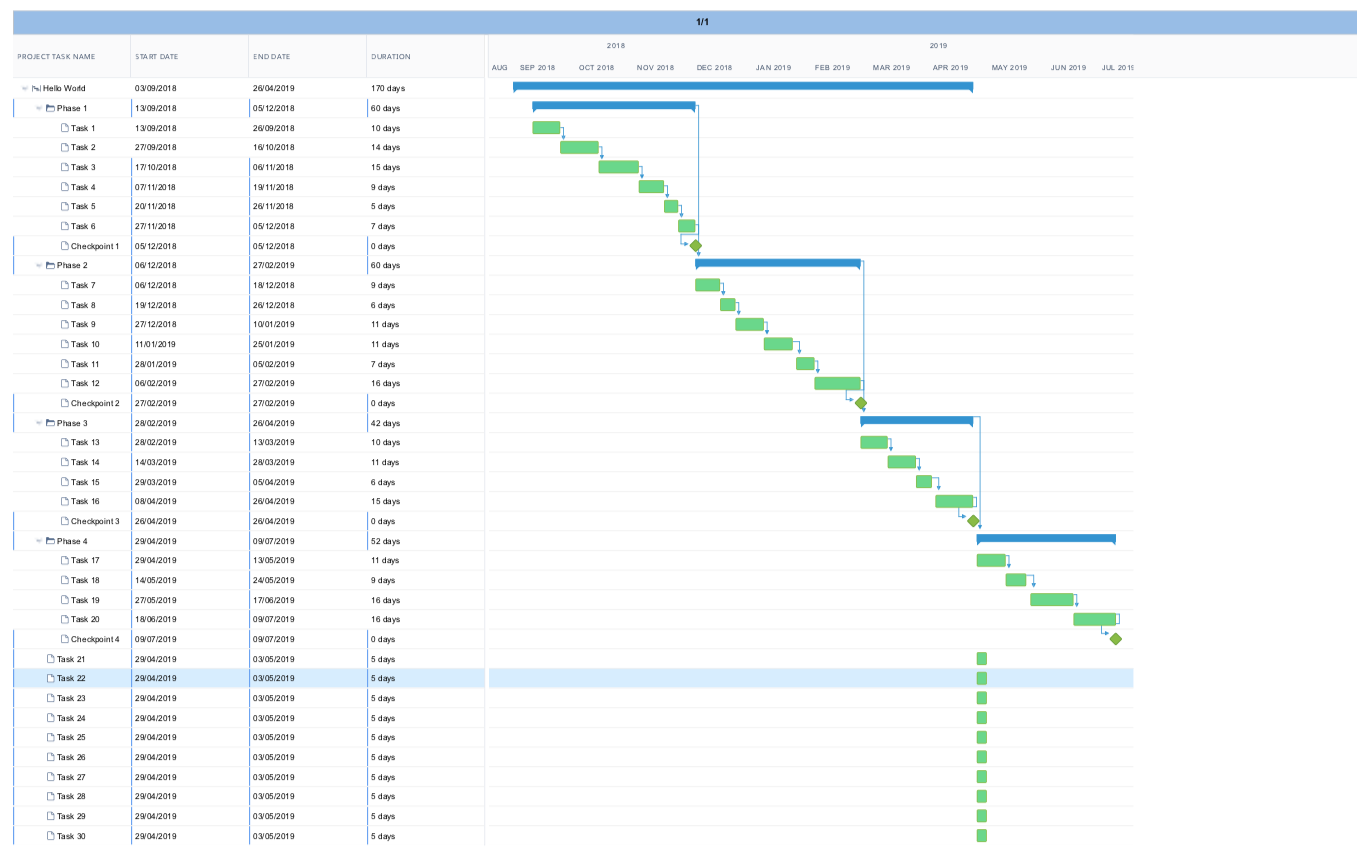
Using the default settings, the view of the Task Grid and Gantt Chart that is rendered in your browser view is printed on a single A4 page. This includes areas that you can scroll down to, not just what you can see on the screen.
If your zoom is at a level where all your task data is visible within your browser, for example monthly or quarterly, your printout could be similar to example 1.
Example 1: Default print settings - Zoom level 'Monthly'.
Click the image to enlarge it.
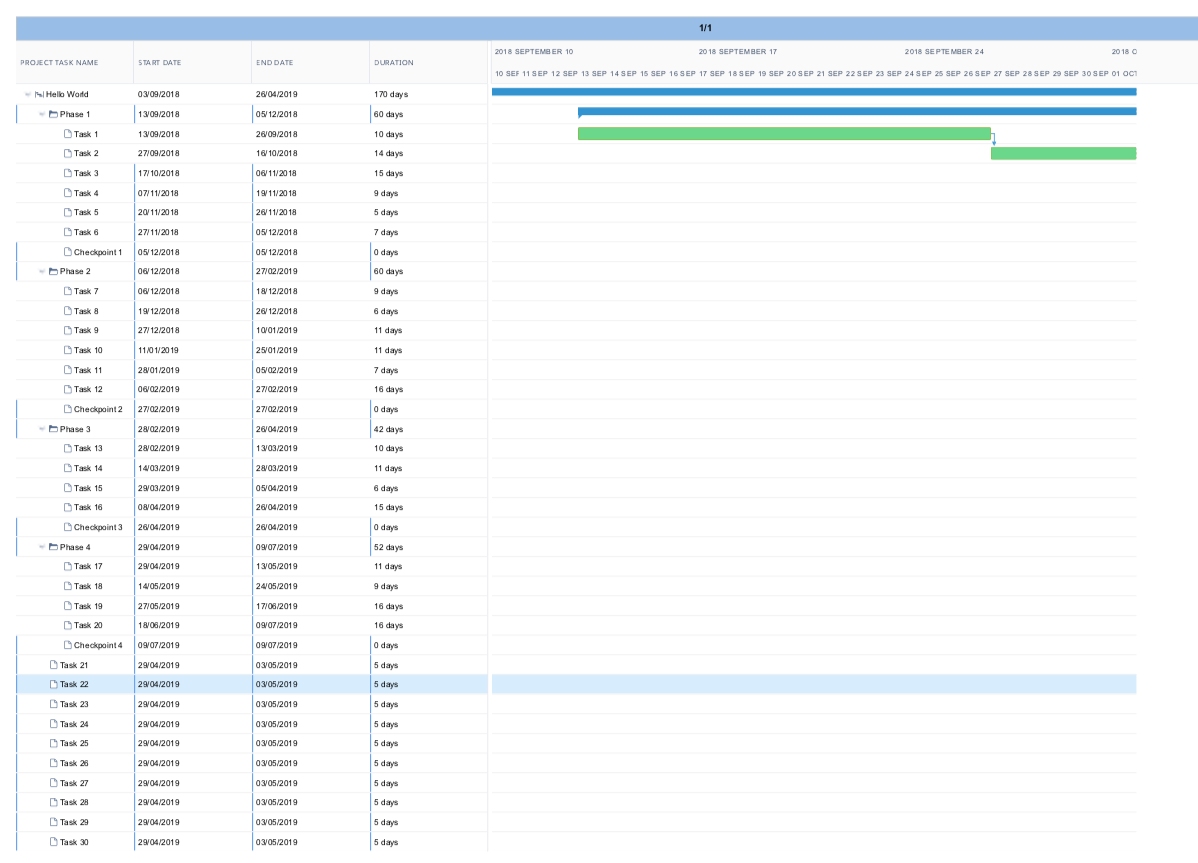
If you have used the default settings and your zoom level is more detailed, such as daily or weekly, your output could be similar to example 2.
Example 2: Default print settings - Zoom level 'Daily'.
Click the image to enlarge it.
Printing Detailed or Large Project Plans
To print your project plan for a more detailed zoom level, as in example 2, you need to adjust some settings. For example, you should change:
- Gantt Chart Range - Select either Complete Chart or Date Range.
- Control Pagination - Select one of the multipage options to print over multiple pages.
For larger projects, you could also select a larger paper size in combination with these options.
Printing to PDF
To fit more information on a page when printing to PDF, we recommend that you select a larger paper size.
FAQs
| What is the best browser to use? |
We recommend Google Chrome for printing to paper and PDF. |
| Why am I seeing a blank page? |
Printing at a high level of detail can impact how the data is rendered occasionally resulting in a blank page being inserted. The default Control Pagination setting of Single Page prevents this. However, if you want to use one of the multipage settings, adjust the scale within your browser print settings. You can do this by opening up the advanced print settings and adjust the scale to 40%. |
| Why do I have so many pages? |
If you have your project printed across multiple pages, and you want to reduce this number, you can either adjust the level at which you are viewing the Gantt Chart by using the Zoom Slider . Alternatively, you can use the default setting of Single Page, and use a larger page size. |
Browser Issues
| Microsoft Edge |
Browser printing doesn't work. |
Open Internet Explorer 11 from Microsoft Edge. |
| Internet Explorer 11 |
If you don't enable background colors, Gantt (Beta) Chart bars will not be colored. |
Enable background colors. |
| Mozilla Firefox |
Scale option doesn’t work. |
Use a different browser, ideally Google Chrome. |
Open topic with navigation