Changing the forecast summary or entry period
You enter a forecast Prediction of the sale and delivery of services. for a given summary period during one or more entry periods. You can only select entry periods that fall within the currently-selected summary period. Time periods must be set up in your organization by your administrator—see Creating or Importing Time Periods.
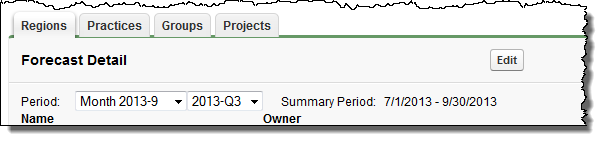
- Change the entry period by selecting a different entry period from the first drop-down list.
- Change the summary period by selecting a different summary period from the second drop-down list: the span displays next to Summary Period.
- The summary period changes automatically to match the entry period.
Changing the cut-off date
You can usually enter or override forecasts up until the final day of the current entry period. However, your administrator can define a cut-off, in days prior to the final day, during which users are unable to enter or override forecasts. They can also define a 'positive' cut-off that runs into the next entry period. For further information, see NumberOfCutoffDays.
Changing the type of summary period
If configured by your administrator, you can change the type of summary period. For example, your Services team may forecast by financial year instead of by quarter. For further information, see Forecasts Settings.