Understanding Where Dated Resource Rates Are Used in Professional Services Cloud
This topic illustrates where dated resource rates Multiple dated bill or cost rates linked to a single rate card. When the rate card is assigned to a record such as an assignment or resource request, the record's bill or cost rate continuously updates in sync with the dated rates linked to the rate card. are used in Professional Services Cloud.
Rate cards with dated resource rates are created in PSA. They can then be matched to role requests in Services Estimator, and to resource requests and assignments in PSA, provided that those records are set up to use dated resource rates.
For an introduction to dated resource rates in PSA, see (Beta) Dated Resource Rates Overview.
For an introduction to dated resource rates in Services Estimator, see Using Dated Resource Bill and Cost Rates in Services Estimator.
Dated Resource Bill Rates
The following diagram illustrates where dated resource bill rates are used in Professional Services Cloud.
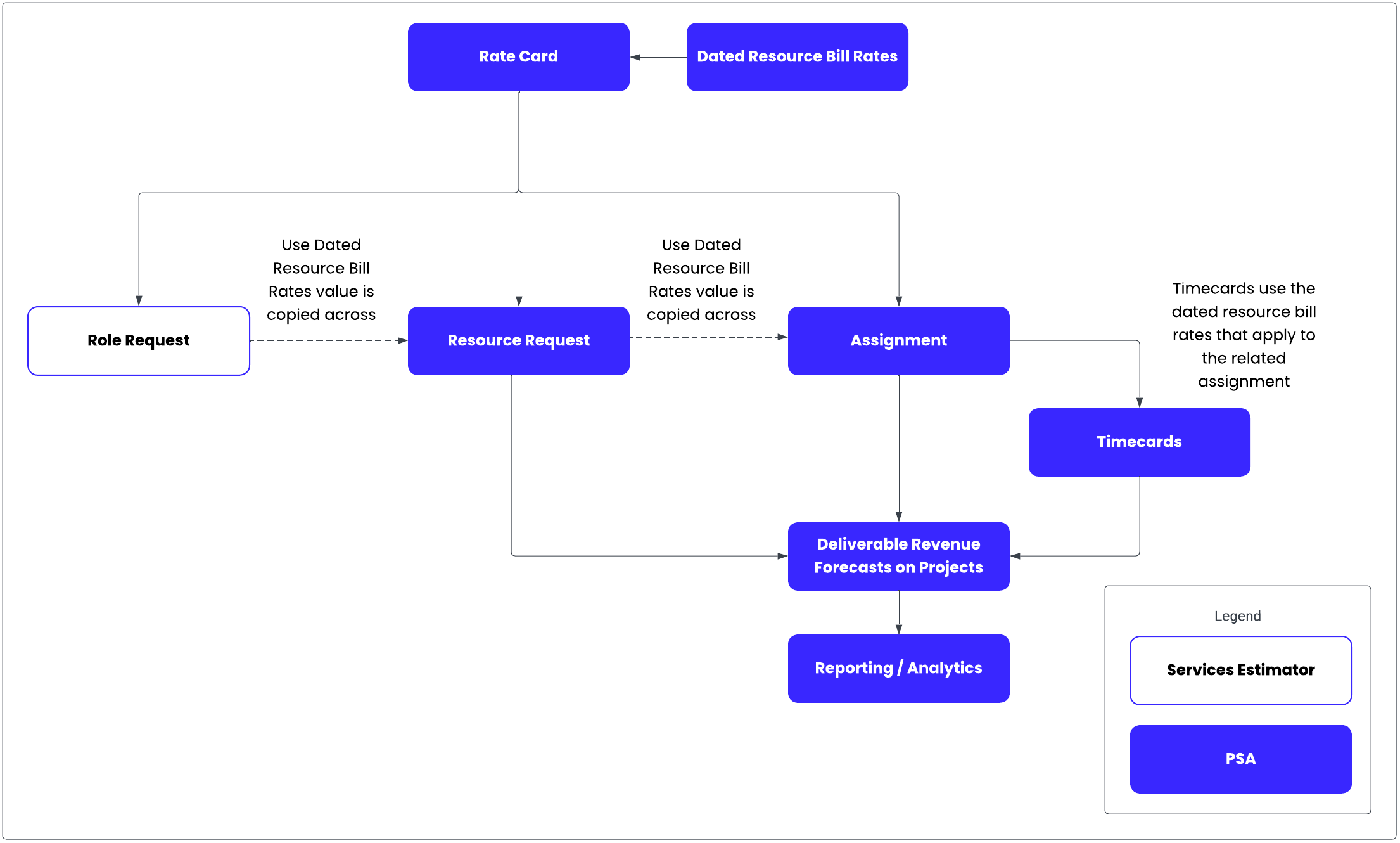
If a resource request is created from a role request automatically, the Use Dated Resource Bill Rates checkbox on the resource request inherits its value from the corresponding checkbox on the role request.
If an assignment is created from a resource request automatically, the Use Dated Resource Bill Rates checkbox on the assignment inherits its value from the corresponding checkbox on the resource request.
When you submit a timecard against an assignment that is using dated resource bill rates, the timecard automatically uses the dated resource bill rates that are linked to the assignment via its bill rate card.
When you run project revenue forecasts using the Deliverable recognition method, dated resource bill rates are used to calculate revenue for resource requests, assignments, and timecards.
You might want to build reports or analytics using calculated totals such as the Requested Billable Amount, Scheduled Billable Amount, and Actual Billable Amount fields on the Est Vs Actuals object.
Dated Resource Cost Rates
The following diagram illustrates where dated resource cost rates are used in Professional Services Cloud.
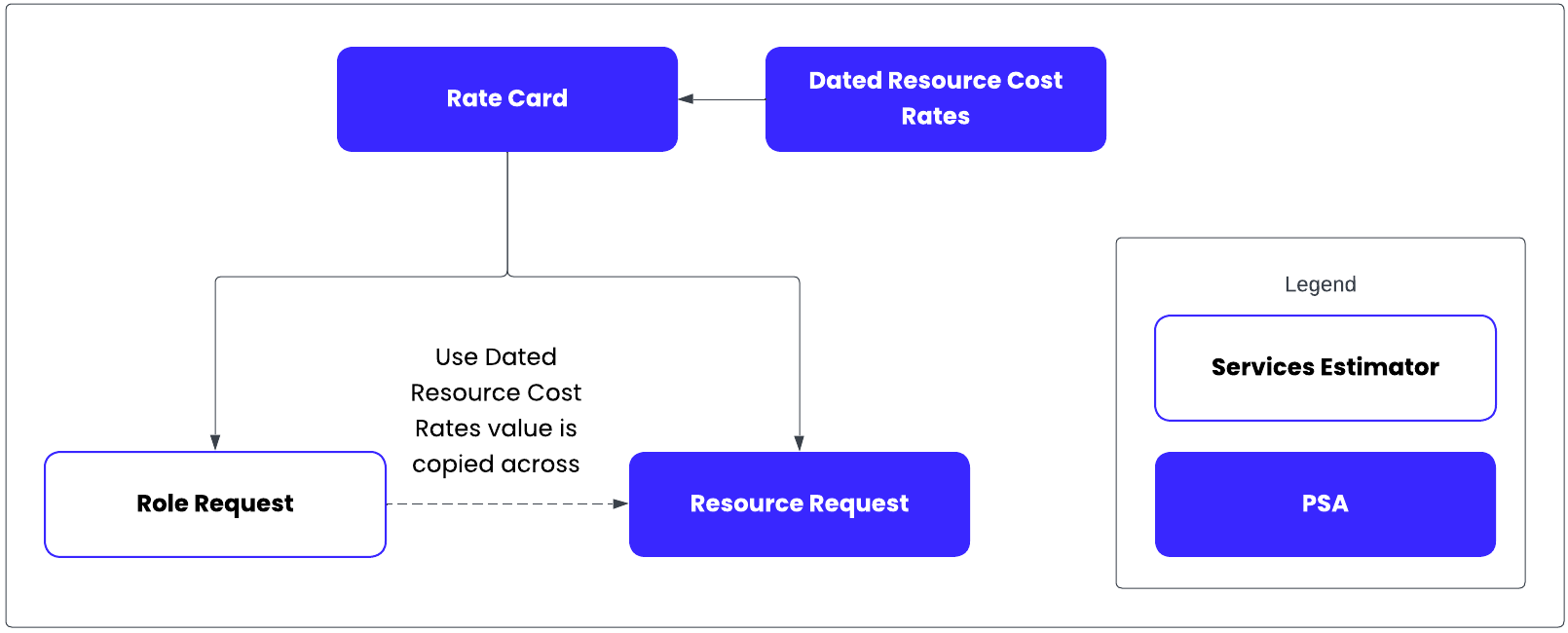
If a resource request is created from a role request automatically, the Use Dated Resource Cost Rates checkbox on the resource request inherits its value from the corresponding checkbox on the role request.
Timecards cannot yet use dated resource cost rates.